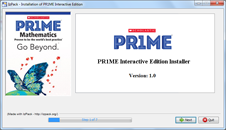
Download Interactive Edition
Installation Instructions
1. Unzip and run the installer
Unzip the downloaded package and run setup.exe (Windows) or PR1ME_Installer.app (Mac) to start installation.
2. Install the Interactive
Edition Follow the on-screen instructions to finish the installation. You'll need an SLZ ID and license for verification.
System Requirements
Windows:
- 1.2GHz processor or above for Windows XP
- 2GHz processor or above for Windows 7/8
- 2GB (32-bit) or 4GB (64-bit) RAM
- 16 GB (32-bit) or 20 GB (64-bit) disk space
- Firefox 16, Chrome 23, IE 10 or above
Mac OS X:
- Intel processor, 32 or 64 bit, 2GHz or higher
- 2GB RAM
- 10GB disk space
- Safari 6 or above
 Global
 Go Beyond.